A User Experience Review
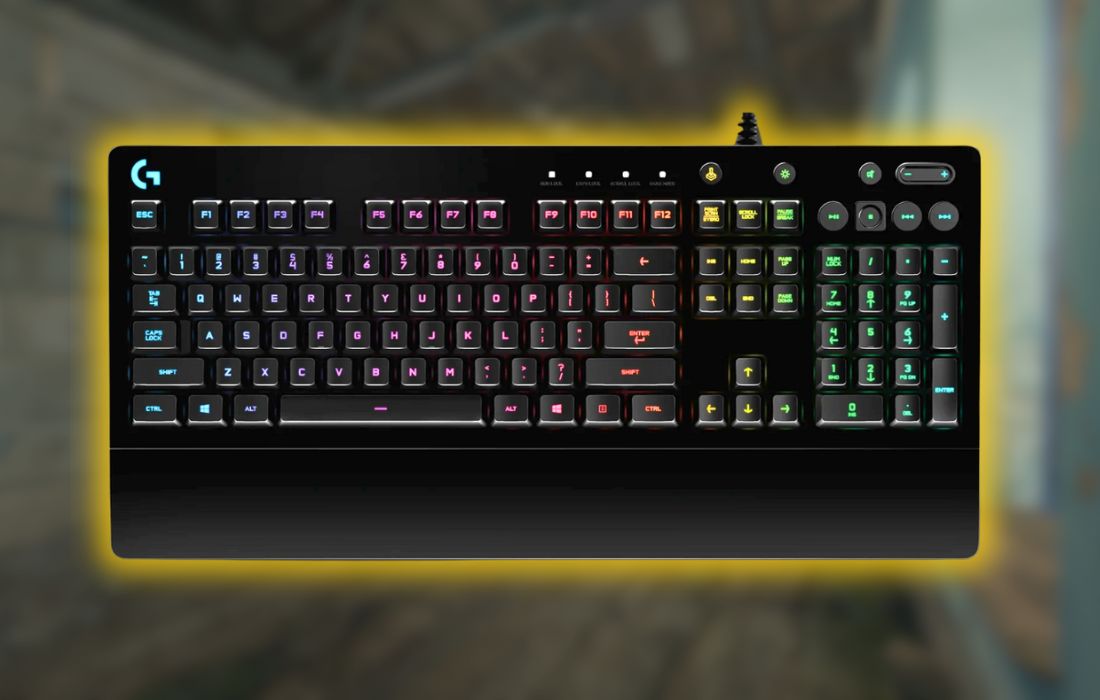
The Logitech G213 Prodigy is a budget-friendly gaming keyboard designed for those who want RGB lighting, dedicated media controls, and a full-size layout without the price tag of a mechanical keyboard. Users appreciate its comfortable wrist rest, tactile-feeling membrane keys, and overall sturdy build. However, long-term user experiences reveal key responsiveness issues, an unremovable wrist rest, and inconsistent RGB lighting that may impact its overall appeal.
Technical Breakdown
Keyboard Type: Membrane (not mechanical)
Switch Type: Logitech Mech-Dome (soft, tactile feedback)
Anti-Ghosting & N-Key Rollover: Yes (up to 10-key rollover)
RGB Lighting: 5-zone customizable RGB
Dedicated Media Controls: Yes
Game Mode: Yes (disables Windows key)
Connectivity: USB (wired)
Cable Type: Braided
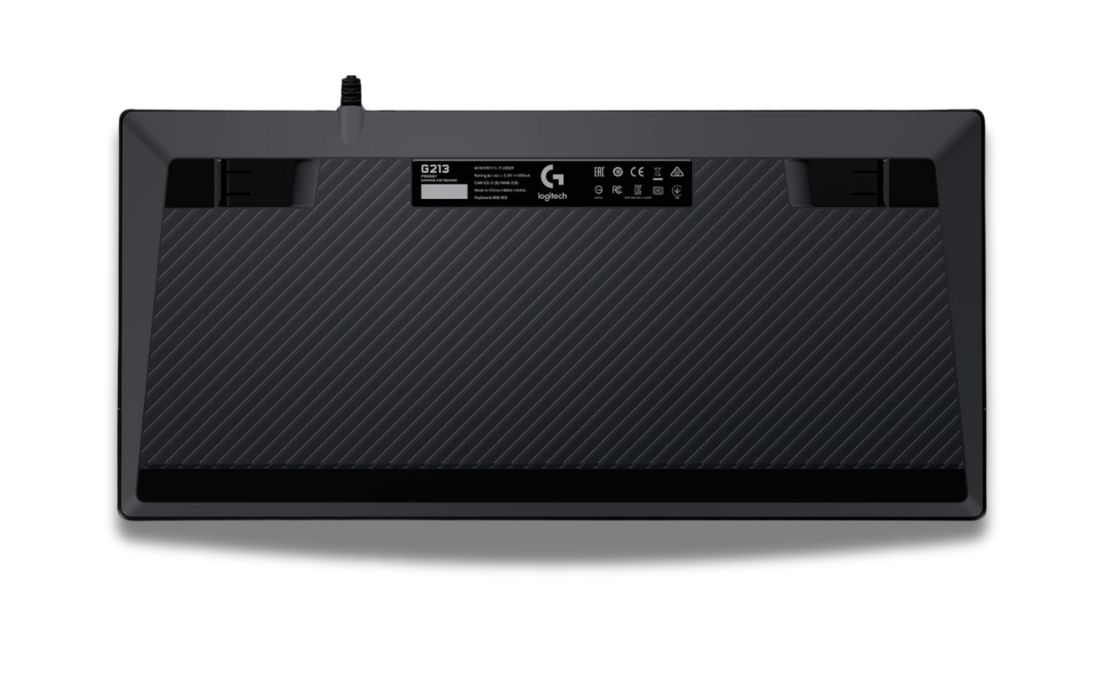
Wrist Rest: Built-in (non-removable)
Software: Logitech G HUB (custom lighting, macros, and profiles)
Design & Comfort
A Well-Built Keyboard with a Polarizing Wrist Rest
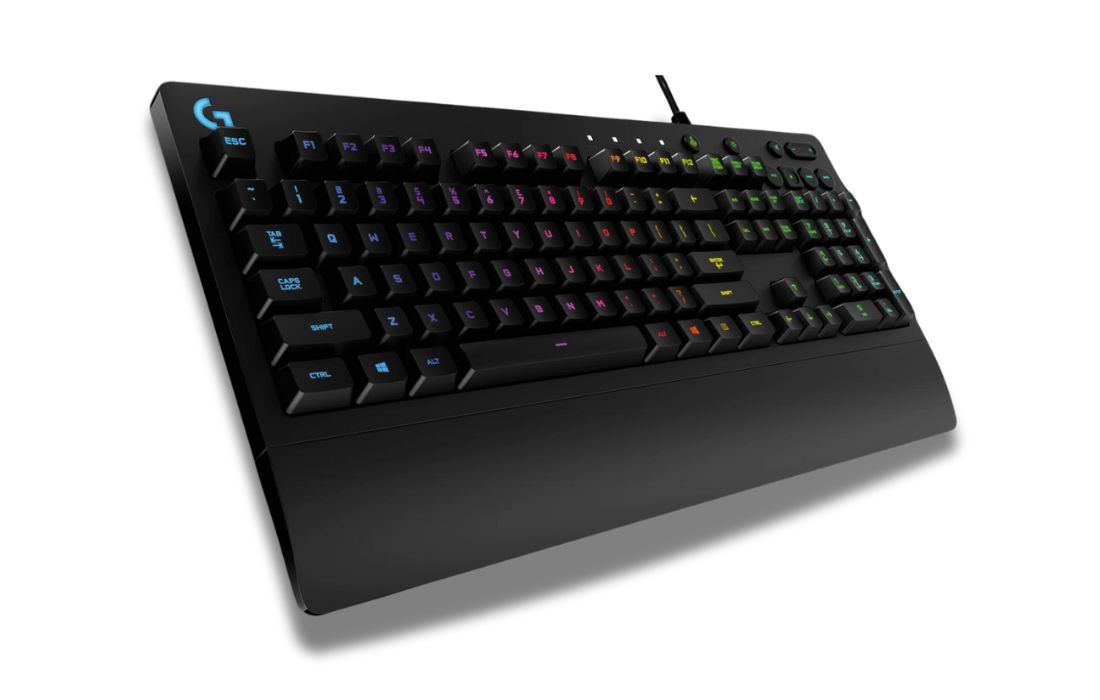
The G213 Prodigy has a solid build that users generally find durable and well-constructed for its price point. Many appreciate the full-size layout and chunky design, which gives it a more premium feel than typical budget membrane keyboards. The integrated wrist rest is a major point of discussion—some find it a great ergonomic addition, while others dislike the fact that it takes up more desk space and cannot be removed.
The keys are slightly curved, which some users find improves typing comfort by allowing fingers to rest naturally on the keycaps. However, others note that the keyboard’s height makes it necessary to use the wrist rest, as the typing angle can feel uncomfortable without it. The rubber dome switches are also quieter than mechanical alternatives, making it a good choice for shared spaces.
Performance
Quiet & Tactile, But Not Mechanical
The membrane keys are well-received for their soft yet tactile feel, offering a satisfying typing experience that some users prefer over cheaper mechanical keyboards. While not as fast or precise as mechanical switches, the keys provide adequate responsiveness for casual gaming.
However, long-term users report issues with key responsiveness, particularly with frequently used keys like W, R, T, and the spacebar. Some experience double key presses, while others find that keys require extra force to register over time. This inconsistency has led some users to replace their keyboards after extended use.
For gaming, the anti-ghosting and 10-key rollover support help prevent missed inputs, making it reliable for non-competitive gaming. However, serious esports players may prefer a mechanical keyboard for faster actuation and longer durability.
RGB Lighting
Customizable but Limited
The G213 features 5-zone RGB lighting, allowing users to customize different sections of the keyboard. Many users appreciate the bright, vibrant colors, but those accustomed to per-key RGB customization find it limiting. Some also report that the lighting can be uneven, with certain keys appearing dimmer than others.
The Logitech G HUB software is generally well-received for its ease of use, but some users dislike the lack of onboard memory, meaning settings reset when switching devices or using the keyboard with a console. Interestingly, some users have discovered undocumented ways to change RGB colors without software, which adds a level of convenience.
Build Quality & Durability
Robust, but With Common Key Issues
The overall build quality of the G213 is solid, with a stable frame and no noticeable flex. Users appreciate that it feels more durable than many budget keyboards. However, multiple reports suggest that certain keys—especially the spacebar—can develop problems over time.
Some users mention that the spacebar becomes unresponsive or double-registers, while others report that specific keys stop responding entirely after months of use. While the keyboard is advertised as spill-resistant, some users who experienced accidental spills found that certain keys became permanently faulty afterward.
Despite these issues, many users report years of problem-free use, especially those who mainly use the keyboard for typing and casual gaming rather than high-intensity gaming.
Price – Is It Worth It?
The G213 Prodigy is typically priced between $50-$70, making it a mid-range budget option. Users generally feel that it offers good value for money, particularly for those who want a comfortable, full-size keyboard with RGB lighting and media controls.
However, some users argue that entry-level mechanical keyboards can be found at a similar price, which might offer better key responsiveness and longevity.
For those who prioritize comfort and a quiet typing experience, the G213 is an excellent choice. But for users looking for fast key actuation and long-term durability, a mechanical alternative might be worth considering. Alternatives users often mention include: SteelSeries Apex 3, Razer Cynosa V2, Corsair K55 RGB Pro
Pros and Cons
Pros
- Comfortable typing experience with soft, quiet keys
- Built-in wrist rest provides ergonomic support
- Good RGB lighting with easy customisation
- Durable build quality for a membrane keyboard
- More affordable than most mechanical keyboards
Cons
- Keys may develop responsiveness issues over time
- Spacebar and common gaming keys (W, R, T) sometimes fail
- RGB lighting is limited to 5 zones (not per-key)
- Non-removable wrist rest may be a downside for some
- Logitech G HUB software can be buggy
Final Conclusion
A Solid Budget Gaming Keyboard With Some Flaws
The Logitech G213 Prodigy is well-loved for its comfortable typing experience, responsive keys, and customizable RGB lighting. The built-in wrist rest makes it a good choice for long gaming and typing sessions, and the dedicated media controls add convenience.
However, key durability issues, limited RGB customization, and unremovable wrist rest are points of concern for some users. If you need a quiet, comfortable keyboard that’s not mechanical, this is a great option for casual gamers and everyday use. But if you need precise, long-lasting keys or per-key RGB customization, there are better options in the same price range.