A User Focused Gaming Perspective
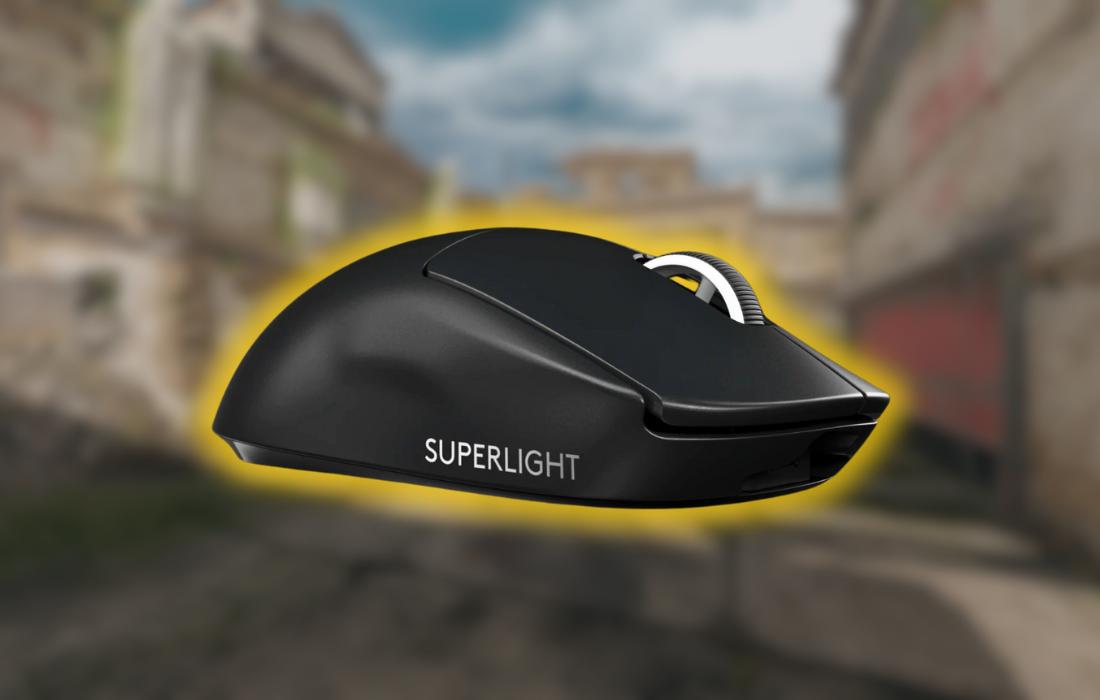
The Logitech G PRO X SUPERLIGHT is a premium wireless gaming mouse known for its lightweight build, high-performance sensor, and long battery life. Users generally praise its smooth gliding, accuracy, and responsiveness, but long-term experiences reveal issues with the scroll wheel, side buttons, and outdated charging system. While many consider it the gold standard for competitive gaming, others feel that its durability and price point leave room for improvement.
Technical Breakdown
Sensor: HERO 25K Optical Sensor (25,600 DPI, no acceleration or smoothing)
Weight: 63g
Buttons: 5 (2 main clicks, 2 side buttons, scroll click)
DPI Settings: Configurable via Logitech G HUB (no physical DPI button)
Connectivity: LIGHTSPEED Wireless (1ms response)
Battery Life: ~70 hours
Charging: Micro-USB
Feet: Large PTFE skates for smooth gliding
Design & Comfort
Lightweight and Ergonomic, But Not for Everyone
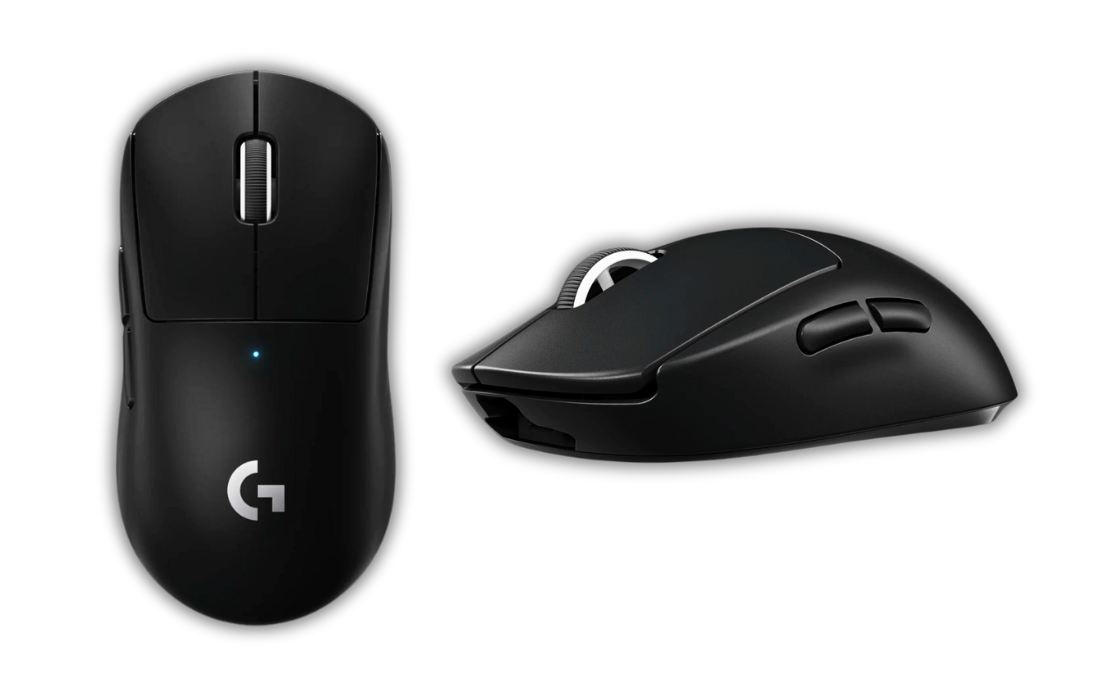
Users appreciate the ultra-lightweight design, which significantly reduces hand fatigue during long gaming sessions. The solid shell makes it feel sturdier than many other lightweight mice, which is a major plus for those who dislike perforated designs.
However, hand size plays a crucial role in comfort. Some users with larger hands find it difficult to get a proper grip, especially during extended sessions. The mouse is best suited for small to medium-sized hands, and users with palm grip or hybrid grip styles tend to find it most comfortable. Claw grip users generally have no issues, but some report discomfort over long periods due to the mouse’s size.
The side buttons are a frequent complaint, with many users noting that they feel mushy and lack satisfying feedback. While they work reliably, they don’t match the high build quality of the main buttons.
Performance
Precision and Responsiveness That Elevates Aim
Users consistently praise the HERO 25K sensor, which provides exceptional tracking accuracy and responsiveness. Many players report an immediate improvement in aiming precision, particularly in fast-paced FPS games like Valorant and Counter-Strike, The wireless connection is flawless, with no noticeable latency or signal drops.
One standout feature is the smooth glide, aided by large PTFE feet. Many users appreciate how the mouse moves effortlessly across various surfaces, making flick shots and micro-adjustments feel natural. Some have upgraded to third-party skates, but the stock ones are generally well-received.
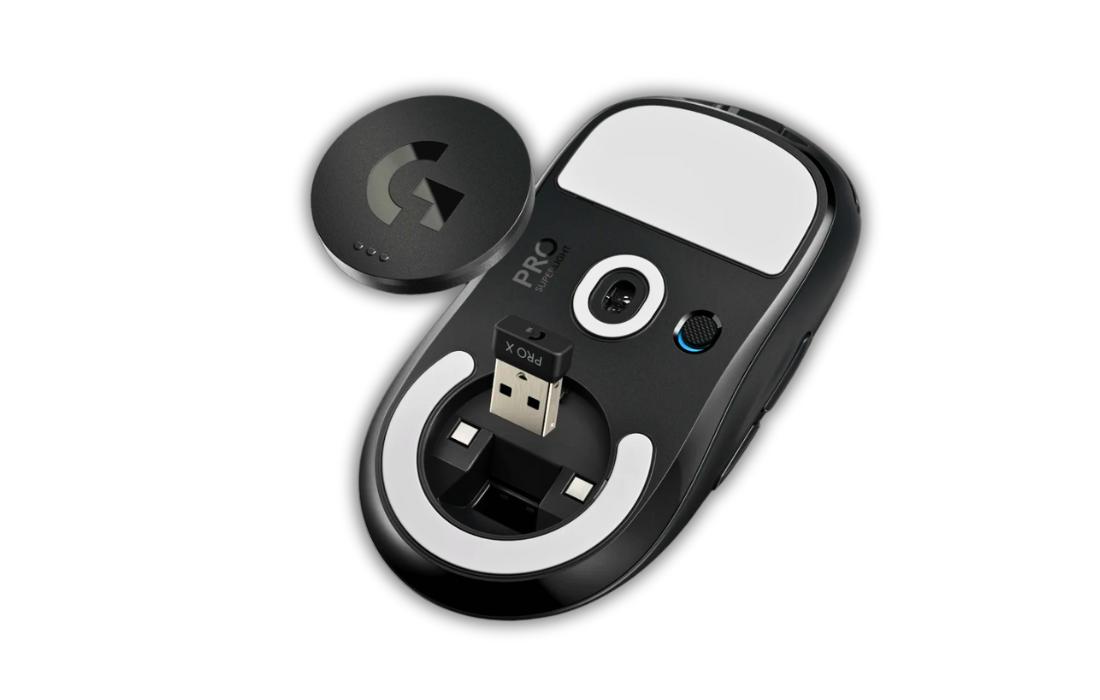
A small number of users have experienced intermittent wireless interference, but this appears to be related to proximity to other wireless devices. Using the included USB extender helps mitigate these issues.
However, the lack of a dedicated DPI button is a frustration for some, especially those who frequently switch sensitivities. While DPI adjustments can be configured through software, users would prefer a physical button for quick changes on the fly.
Battery Life
Long-Lasting but Uses Outdated Charging.
The battery life is one of the strongest aspects of the G PRO X SUPERLIGHT. Many users report weeks of use on a single charge, even with frequent gaming. Logitech advertises 70 hours of battery life, and real-world experiences largely confirm this claim.
However, the charging system is a major disappointment for many users. In 2024, a premium mouse at this price point should have USB-C charging, yet the G PRO X SUPERLIGHT still relies on Micro-USB, which users describe as fragile and outdated. Many wish Logitech had updated this feature, especially given that cheaper alternatives already offer USB-C charging.
Build Quality & Durability
Robust Frame but Scroll Wheel Issues
Users generally find the build quality solid, with no flex, creaks, or rattling in normal use. However, long-term experiences reveal two major durability concerns:
Scroll Wheel Problems – One of the most common complaints is that the scroll wheel starts registering unintended inputs over time. Many users report that scrolling up occasionally registers as scrolling down and vice versa. Some have found temporary fixes, but the issue tends to resurface after months of use.
Side Button Quality – While the main clicks remain crisp and responsive, the side buttons often feel mushy and imprecise. Some users experience inconsistent actuation over time, making them unreliable for frequent use.
Additionally, a few users report minor wear on the coating after prolonged use, particularly where their fingers rest. While this doesn’t affect performance, it can impact the premium feel of the mouse.
Price – Is It Worth It?
At $150-$160, the G PRO X SUPERLIGHT is one of the most expensive wireless gaming mice available. While many users feel that its performance justifies the price, others argue that similar-performing mice are available for significantly less.
Alternative options mentioned by users include:
• Pwnage Symm 1 Gen 2 – Nearly identical performance for 1/3 the price
• Razer Viper Ultimate – A direct competitor with USB-C charging and similar performance
• Pulsar X2 – More affordable but had durability concerns in some cases
Some users only recommend buying the G PRO X SUPERLIGHT on sale, while others believe that it’s worth paying a premium for the best-in-class performance.
Pros and Cons
Pros
- Incredibly lightweight (63g) without sacrificing build quality
- HERO 25K sensor provides top-tier precision and responsiveness
- Smooth glide with large PTFE feet
- Excellent battery life (70+ hours)
- No wireless latency or connectivity issues
Cons
- Scroll wheel durability issues (scrolling in the wrong direction)
- Side buttons feel mushy and less premium
- No dedicated DPI button for quick sensitivity changes
- Still uses outdated Micro-USB charging
- Expensive compared to some alternatives
Final Conclusion
The Logitech G PRO X SUPERLIGHT is an exceptional gaming mouse, particularly for competitive FPS games like CS2. Its lightweight design, flawless sensor, and long battery life make it a favorite among serious gamers.
However, the mushy side buttons, scroll wheel durability issues, and outdated charging system hold it back from being perfect. For those willing to overlook these drawbacks, it remains one of the best gaming mice available. But for buyers seeking better value or long-term durability, alternatives may be worth considering.